iOS & iPadOS Application

Mosswell app icon - a pale leaf on a deep moss-green background

Mosswell

A private browser with an encrypted video vault. Every page loads only through your own VPN provider, everything you save stays inside the app, and a decoy PIN keeps a second, believable browser ready.

Explore Features Coming Soon to App Store
iPhone, iPad & Apple-silicon Mac • iOS 17+ • Rated 18+
Free 7-day trial of everything, then browsing stays free
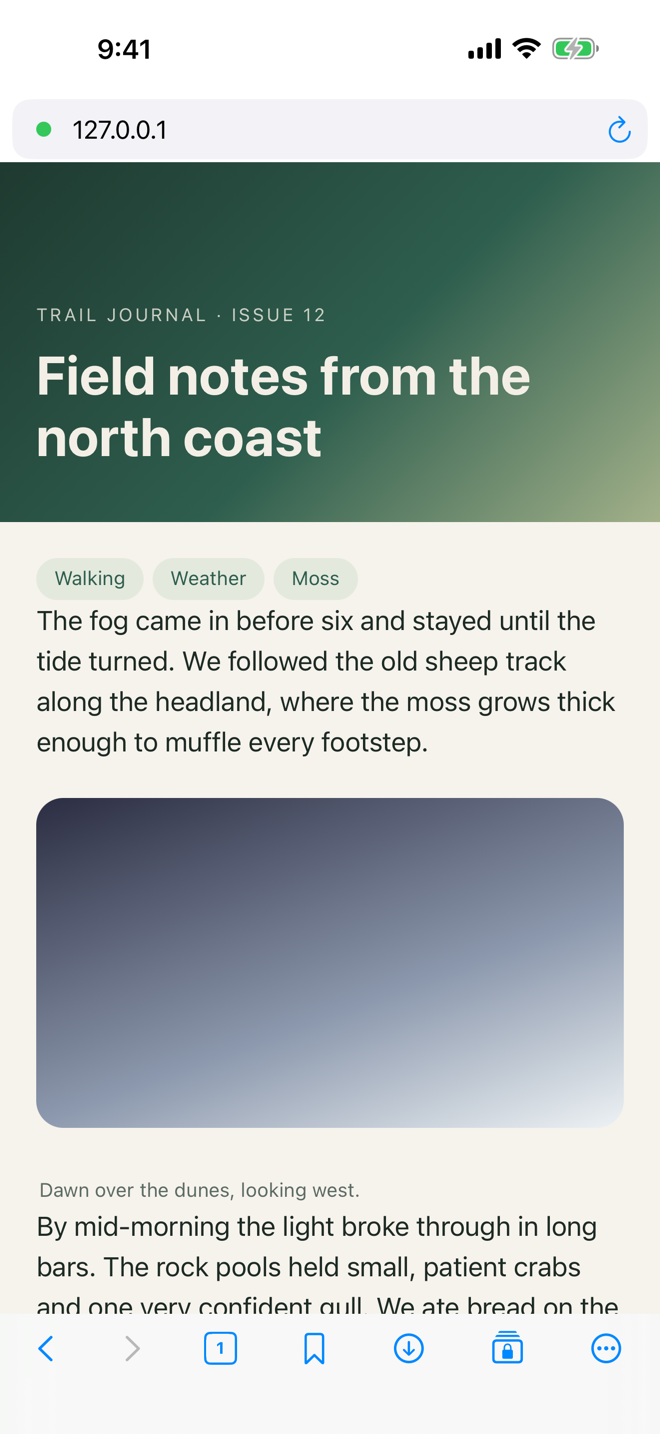
Mosswell browser showing an article with the green tunnel status dot in the address bar
Capabilities

Nothing Leaves the App

Mosswell is built for one job: what you browse, download and watch should never be discoverable by someone who picks up your unlocked phone.

VPN Kill Switch

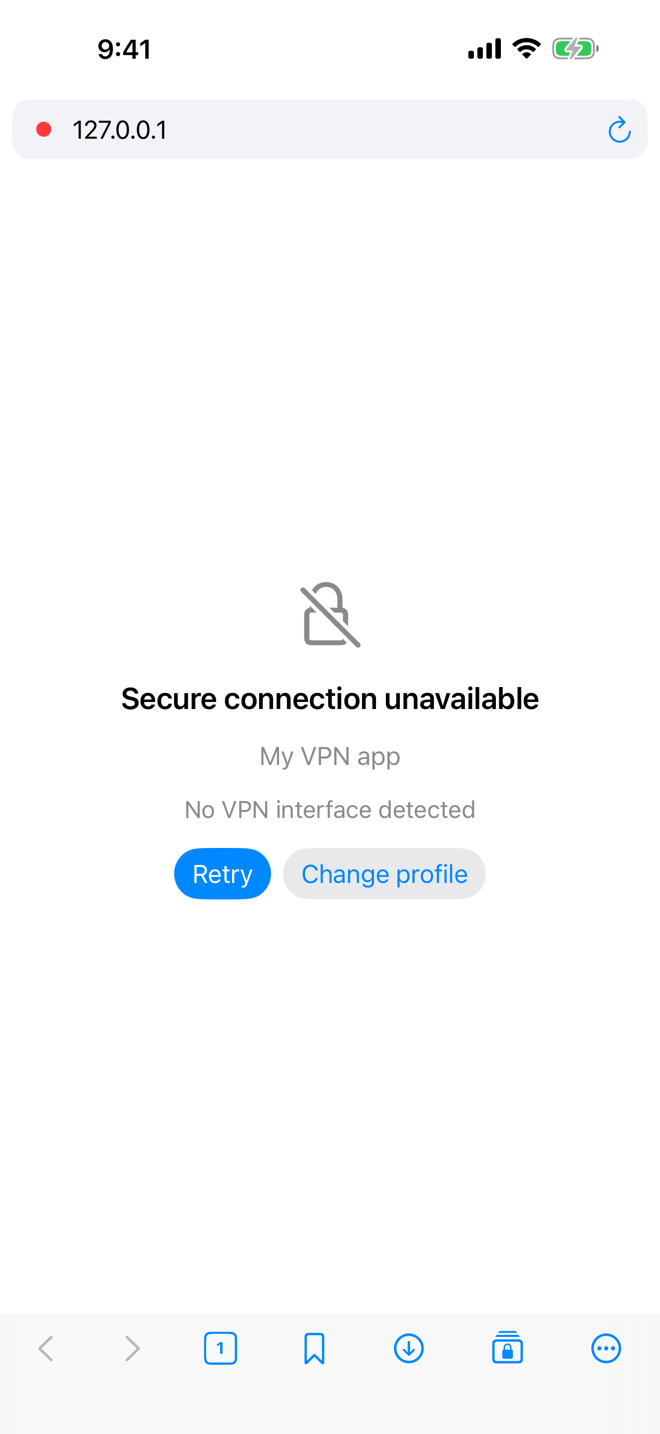
Every page and download goes through the VPN provider you already pay for. If the tunnel drops or can't be verified, nothing loads. No warning banner, no silent leak.

Trace-Free Browsing

An in-memory web store with encrypted history and bookmarks. Nothing shows up in Safari, Spotlight, Siri Suggestions, keyboard predictions or the app switcher.

Encrypted Video Vault

Save direct video files and HLS streams into a chunk-encrypted vault with folders, thumbnails and offline playback. Nothing is ever written to Photos or Files.

Decoy PIN

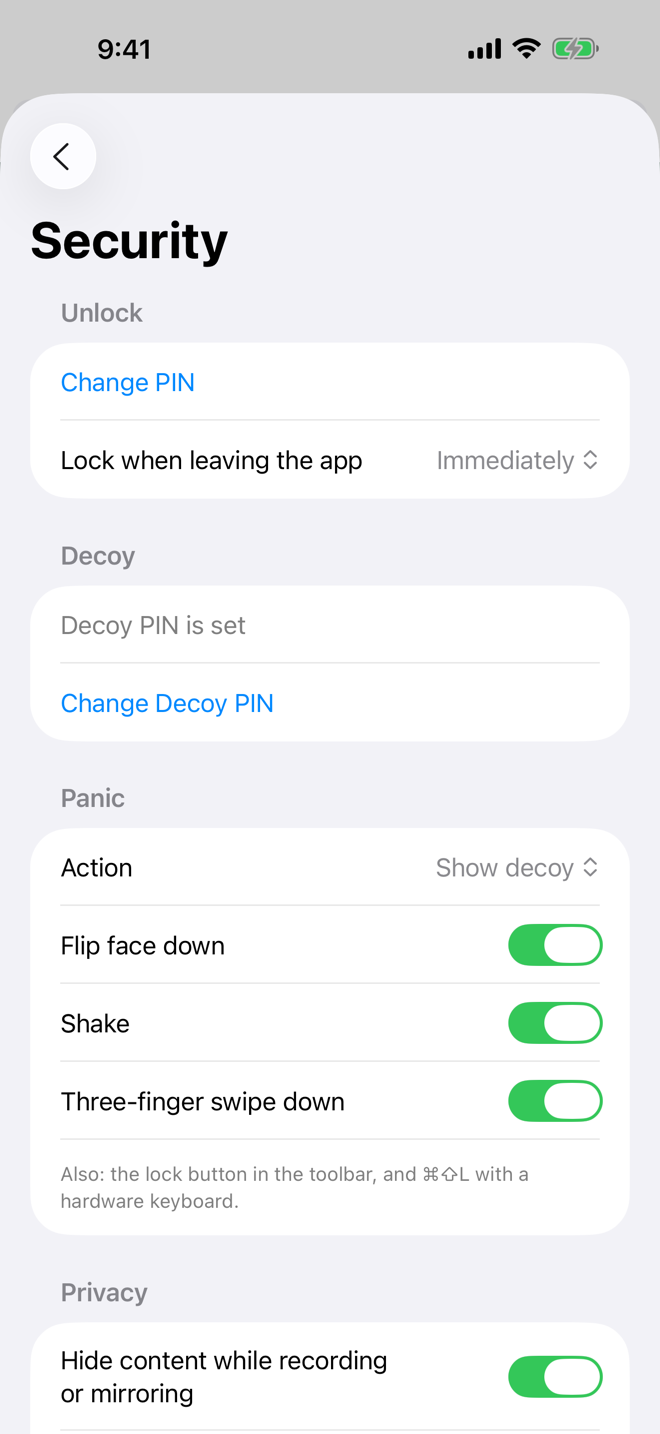
A second PIN opens a separate, fully working browser with its own history, bookmarks and vault. Same screen, same timing, nothing that hints another vault exists.

Panic Gesture

Flip the phone face down, shake it, or swipe down with three fingers to switch to the decoy in under 300 ms. The real vault keys are wiped from memory instantly.

Face ID, Touch ID & PIN

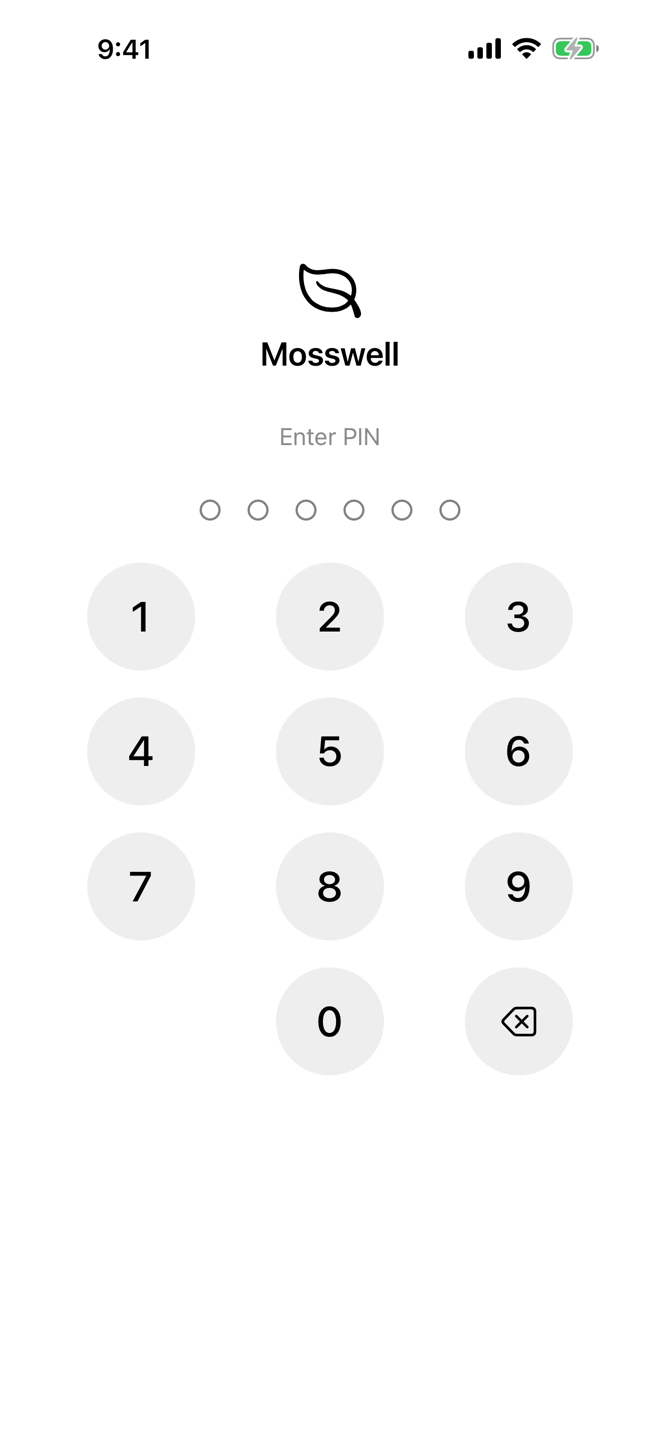
A six-digit app PIN independent of your device passcode, with biometric unlock on top. A privacy cover goes up the moment you leave, so the app switcher shows nothing.

Break-in log

Every failed PIN attempt, with time and place

Pause & resume downloads

Locking pauses, unlocking picks up where it left off

Content blocker

Ads and trackers blocked on-device with WebKit rules

Encrypted backup

Export a password-protected archive, import it anywhere

Your VPN, Your Rules

Works With the Provider You Already Pay For

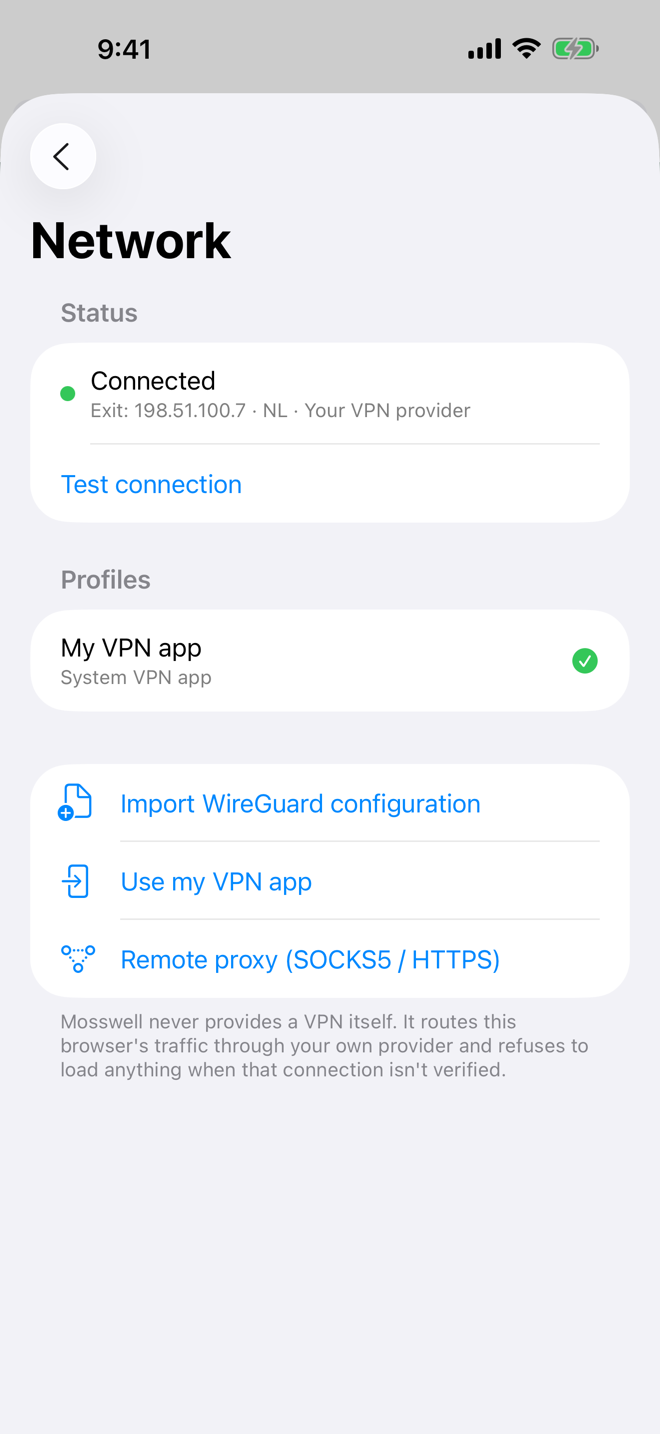
Mosswell is not a VPN service and runs no servers. It is a client for your own provider, with four ways to connect. The dot in the address bar is green only when the tunnel has been verified.

  • WireGuard configuration - Paste, import or scan the QR code from your provider (Proton VPN, Mullvad and others). It runs inside the app with no system VPN profile
  • Your VPN app - Keep using your provider's app. Mosswell checks that it is connected, verifies the exit IP, and refuses to load pages when it isn't
  • Remote proxy - A SOCKS5 or HTTPS proxy from your provider
  • No tunnel - Available after a warning for people who don't want one. Never the default, and the status dot turns orange
Mosswell network settings showing a connected profile and the three ways to add a tunnel
Mosswell kill switch overlay reading Secure connection unavailable with Retry and Change profile buttons
Screenshots

See It In Action

Every screen has the same quiet chrome whether you unlocked the real vault or the decoy. Tap a screenshot to enlarge it.

Mosswell lock screen with PIN pad

Lock Screen

Locked behind Face ID and your PIN. Nothing opens without you.

Mosswell browser with the green tunnel status dot

Browser

A green dot means the tunnel is verified and the page loaded through it.

Mosswell kill switch overlay

Kill Switch

If the tunnel drops, nothing loads. Retry or change profile.

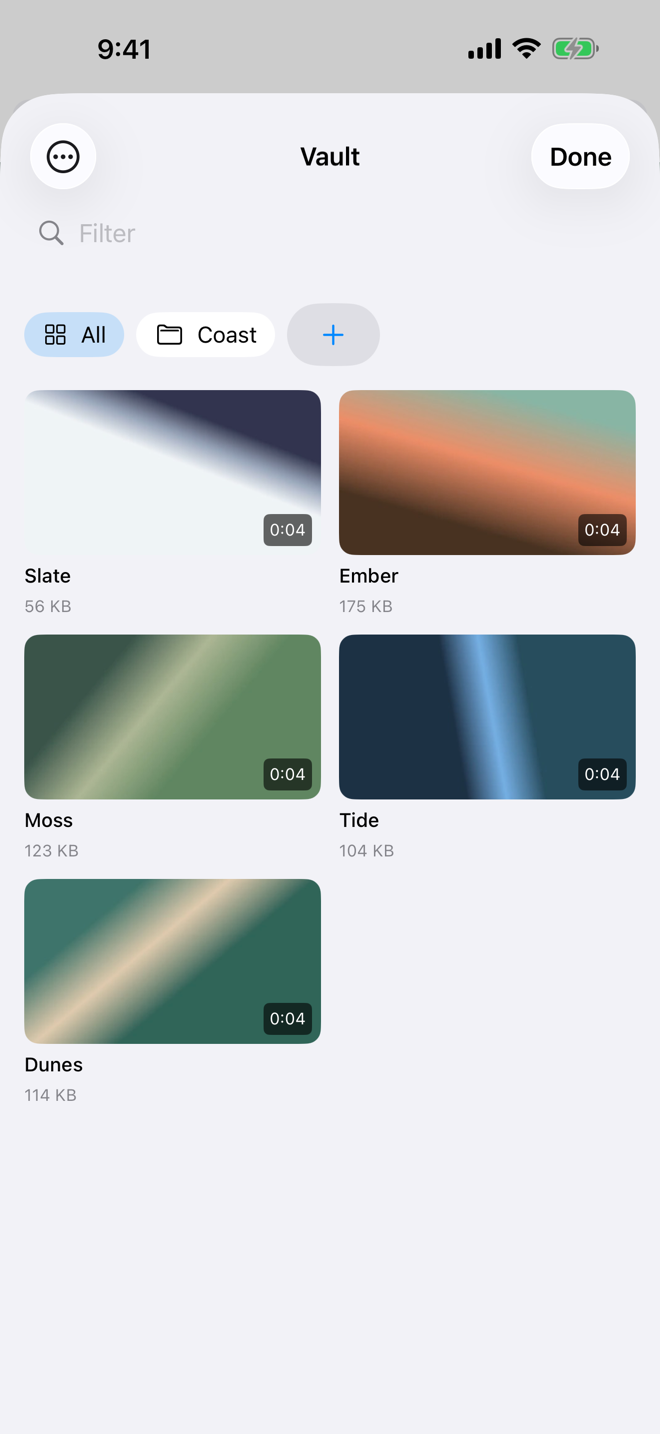
Mosswell encrypted vault grid

Vault

Saved clips with encrypted thumbnails, folders and a filter.

Mosswell security settings with the decoy PIN section

Security

Decoy PIN, panic triggers, auto-lock grace and the break-in log.

Mosswell vault player playing a saved clip

Player

Watch offline inside the vault. No Now Playing, no Lock Screen.

Mosswell network settings

Network

Saved tunnel profiles and the three ways to add one.

Honest by design

The decoy and panic features are documented here and in the app. Mosswell protects your privacy from casual snooping. It is not a tool for hiding from the law.

The Vault

Encrypted at Rest, Never Plaintext on Disk

Videos are encrypted in chunks with AES-GCM as they download and decrypted in memory as they play. There is no moment when a readable copy exists on your device.

  • Keys derived from your PIN - Protected by the iOS Keychain and Data Protection, never synced, never backed up to iCloud
  • Random file names - Titles, thumbnails and filenames are encrypted too; the container holds only UUID-named ciphertext
  • MP4, MOV, M4V and HLS - Direct files and non-DRM HLS streams, plus imports from Photos and Files. No site-specific extractors, no DRM circumvention
  • A player that keeps quiet - No Picture-in-Picture, no AirPlay by default, no Now Playing on the Lock Screen or in Control Center
  • Trace wipe - WebKit caches, temp files and HTTP storage are cleared on every lock and launch

Perfect For

Mosswell is for people who share a phone, a household or a passcode and still want a private corner of it.

  • Anyone whose partner or family knows their passcode
  • Travelers on hotel, airport and café Wi-Fi
  • VPN subscribers tired of apps that leak when the tunnel drops
  • People who keep personal video clips off their camera roll
  • Journalists, researchers and anyone browsing sensitive topics
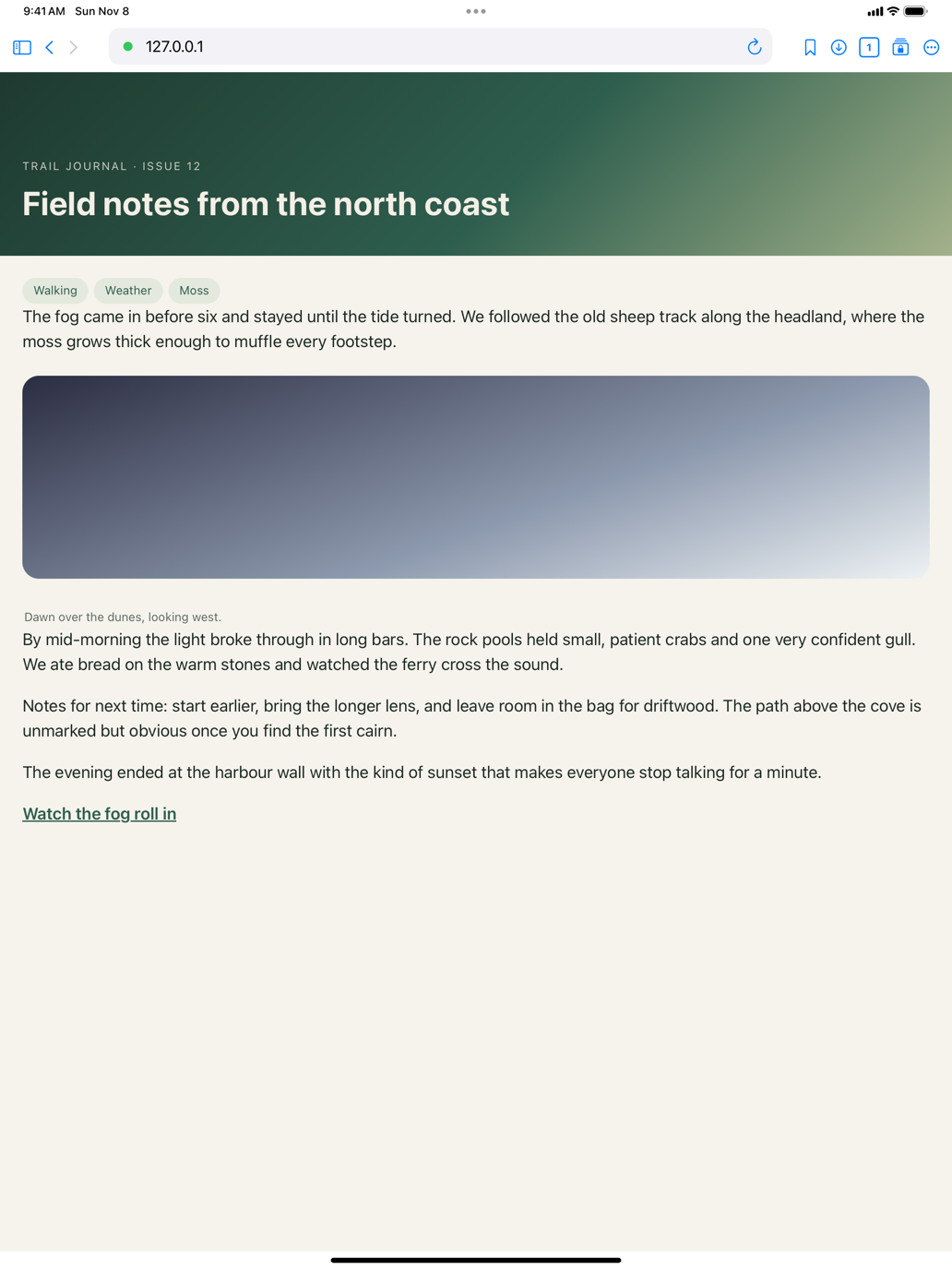
Mosswell on a 13-inch iPad showing the browser in a regular-width layout
iPad & Mac

One App, Every Screen Size

Mosswell is a universal app. Layouts adapt to the window, not the device, so it works in Split View, Slide Over and Stage Manager, and runs on Apple-silicon Macs as the iPad app.

  • Hardware keyboard - type your PIN, and press ⌘⇧L to lock or switch to the decoy when there is no phone to flip
  • Multitasking-safe - the privacy cover applies in the app switcher and Stage Manager, and nothing can be dragged out into a neighboring app
  • Touch ID or Face ID - the copy and the unlock flow follow whatever biometrics your iPad has
Pricing

Free for 7 Days, Then Browsing Stays Free

Try everything for a week. After that the browser, the lock, the decoy and anything already in your vault keep working at no cost. Mosswell Plus unlocks the extras.

Mosswell

Always free

$0

  • Private browser through your own tunnel
  • VPN kill switch and tunnel verification
  • Face ID / Touch ID + PIN lock and privacy cover
  • Decoy PIN and panic gesture
  • Everything already in your vault
  • Break-in log and trace wipe
Plus

Mosswell Plus

One-time purchase or subscription, through Apple

$19.99 lifetime
or $2.99/month · $9.99/year
  • Save new videos to the vault
  • Create vault folders
  • Stay signed in to chosen sites
  • Alternate app icons
  • Restore on any device with your Apple Account

Prices in USD and may vary by region. Subscriptions renew until cancelled in your Apple Account settings. Payment is handled by Apple; Mosswell never sees receipts or identifiers.

Technical Specifications

Built on Apple's Frameworks, Nothing Else

No third-party analytics, crash reporters or ad SDKs. The only non-Apple code is the open-source WireGuard stack that runs the in-app tunnel.

Platform
iOS 17+, iPadOS 17+, macOS (Apple silicon, Designed for iPad)
Language
Swift 6 with strict concurrency
UI Framework
SwiftUI with @Observable view models
Browser
WKWebView, non-persistent data store, per-session proxy configuration
Encryption
CryptoKit AES-GCM, chunked files, Keychain-protected key hierarchy
Tunnel
Userspace WireGuard (wireguard-go) to a loopback SOCKS5 proxy; no system VPN profile
Purchases
StoreKit 2, entitlements checked on-device
Integrations
None by design: no Spotlight, Siri, widgets, notifications, share extension or Files access

What Mosswell Is Not

Clear boundaries make a privacy tool trustworthy.

Not a VPN service. Zarware runs no servers and never sees your traffic. You bring your own provider.
Not a downloader for streaming services. Direct files and open HLS only. No site-specific extractors, no DRM circumvention, no services that prohibit downloading.
Not cloud-synced. There are no accounts and no server-side copies. Your PIN is the only key, and there is no recovery if you lose it.
Not a forensic shield. Mosswell defends against a person with your unlocked phone, not against device extraction, jailbreaks or legal process.

Works with WireGuard configurations from providers such as Proton VPN. Not affiliated with or endorsed by Proton AG or the WireGuard project. WireGuard is a registered trademark of Jason A. Donenfeld.

Support

Getting Started & FAQ

Questions not answered here? Email [email protected]. We answer within two business days.

1

Set a 6-digit PIN

There is no account and no recovery. If you forget the PIN, nobody can open the vault, including us. Write it down somewhere safe.

2

Choose how to connect

Paste or scan a WireGuard configuration from your provider, pick "I'll use my VPN app", or enter a proxy. The address-bar dot turns green once verified.

3

Optional: decoy PIN

Settings › Security. A second PIN opens a separate, ordinary-looking browser with its own history, bookmarks and vault.

The kill switch is doing its job: the tunnel is down or could not be verified. Reconnect your VPN app or check that the WireGuard configuration is still valid (providers rotate them), then tap Retry on the overlay or Re-check in the address-bar status popover. If your provider blocks the IP-check services, switch profiles or use the "No tunnel" option.
No. Mosswell is a client for the provider you already pay for. We run no servers and never see your traffic.
Direct video files (MP4, MOV, M4V) and HLS streams that are not DRM-protected. Sites that stream through their own players or use DRM cannot be saved, and we do not support services that prohibit downloading.
There is no reset. The data is encrypted with a key derived from your PIN and stored only on your device. Delete and reinstall the app to start over; everything in the vault is lost. This is deliberate.
They are only inside Mosswell, encrypted, and by design never appear in Photos or Files. To keep a copy outside the app, use Settings › Help › Backup › Export vault to create an encrypted .mosswell backup you can store anywhere and import later with its password.
Everything is free for 7 days after you first open the app. After that, browsing through your tunnel, the lock, the decoy and everything already in your vault stay free. Saving new videos, creating folders, staying signed in to sites and alternate app icons need Mosswell Plus: a one-time Lifetime purchase or a monthly or yearly subscription, through Apple.
Settings › Mosswell Plus › Restore Purchases, signed in to the same Apple Account.
Settings › Mosswell Plus › Manage subscription, or in iOS Settings › Apple Account › Subscriptions. Cancelling keeps Plus until the end of the paid period.
Yes. The screen is covered the moment you leave, and the vault locks after the grace period you set in Settings › Security. The panic gesture (flip face down, shake, or a three-finger swipe down) switches to the decoy or locks instantly.
Expected. Any change to Face ID or Touch ID enrolment invalidates the biometric unlock. Enter your PIN once and it is re-enabled.
Mosswell runs on Mac as the iPad app. Panic on Mac is ⌘⇧L or the toolbar lock button, since Macs have no motion sensors. Report layout problems with your device model and iPadOS or macOS version.
Data Not Collected

Mosswell Collects No Data

No accounts, no analytics, no crash reporting, no advertising. The only connections the app makes are to the sites you visit through your own tunnel, and a single IP check to confirm that tunnel works. Read the full policy →

Your VPN, Your Rules, Nothing Left Behind

Mosswell is coming soon to the App Store for iPhone, iPad and Mac.

Coming Soon to App Store Contact Support