One-click webcam preview from your menu bar. Check your appearance instantly before video calls, meetings, or recordings.
No more launching Photo Booth or waiting for apps to load. QuickGlancer lives in your menu bar, ready when you are.
Camera feed appears in under 100ms. One click and you're checking your appearance — no waiting, no app switching.
Always one click away from your menu bar. No Dock icon clutter — QuickGlancer stays out of your way until you need it.
Flip your preview horizontally with one tap. See yourself exactly as others see you, or use the natural mirror view.
Supports built-in FaceTime cameras, USB webcams (Logitech, Razer), and iPhone Continuity Camera on macOS 14+.
Choose Small, Medium, or Large preview window sizes. Pick what works best for your workflow and screen real estate.
Automatically detects when cameras are connected or disconnected. No need to restart — just plug in and go.
Explore QuickGlancer's clean, native macOS interface designed to stay out of your way.
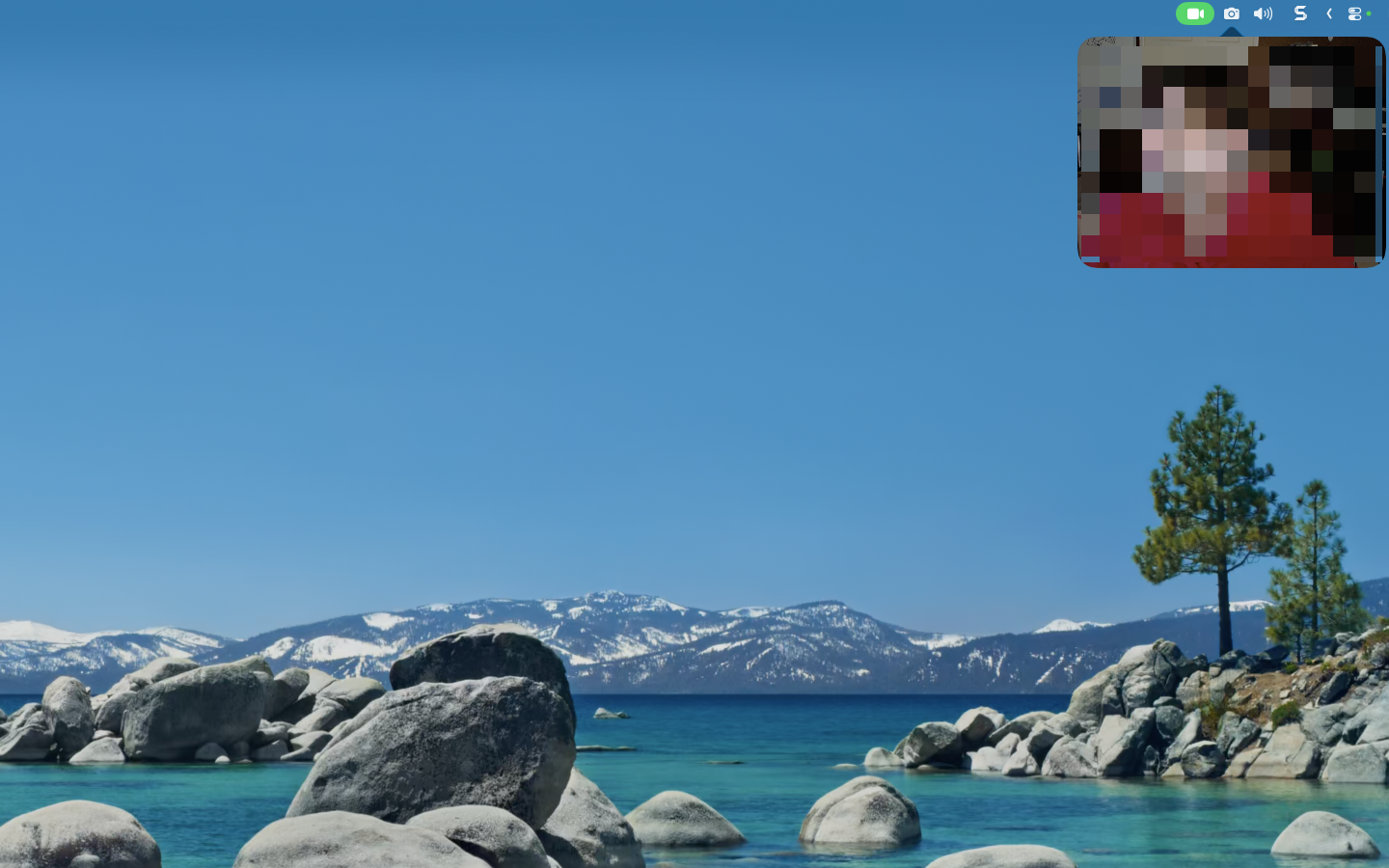
One-click camera preview from your menu bar
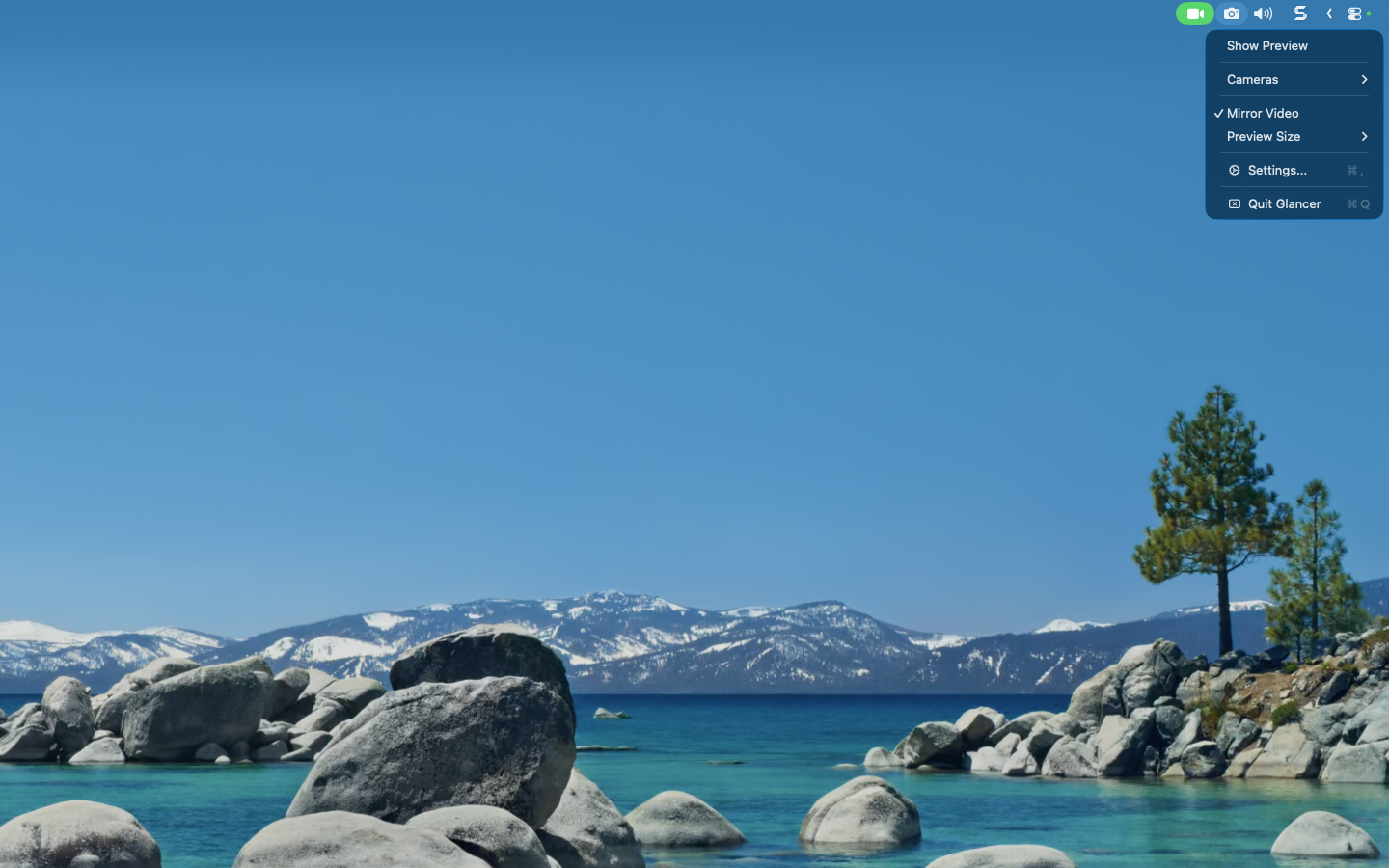
Quick access to cameras, mirror, and settings
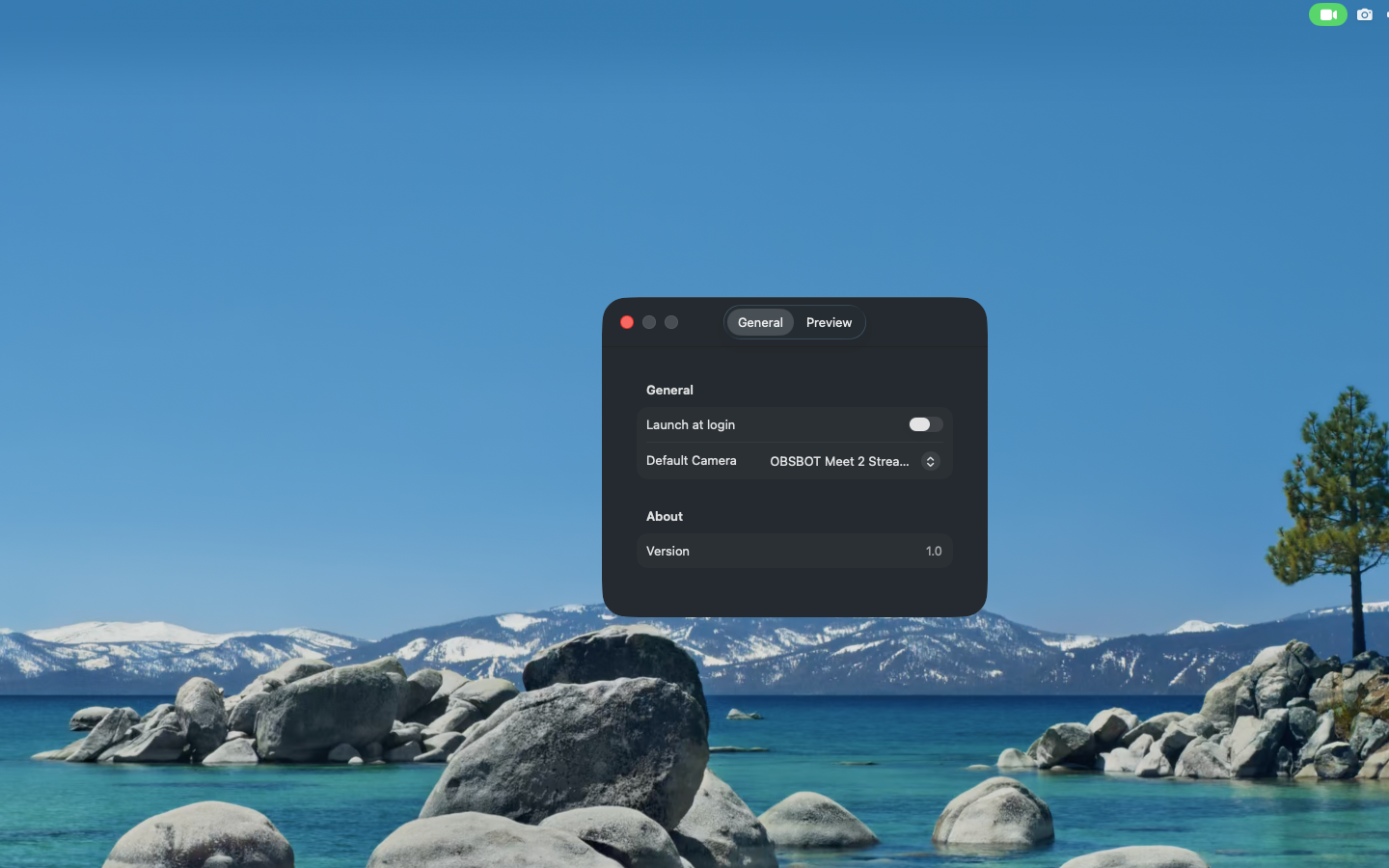
Configure default camera and launch at login
QuickGlancer is built using Apple's latest frameworks with a focus on performance, privacy, and native macOS integration.
QuickGlancer works with virtually any camera your Mac can see:
QuickGlancer cannot connect to the internet — this is not a bug, it's a feature. The app is sandboxed without network entitlements, meaning your camera feed never leaves your Mac. No analytics, no telemetry, no cloud sync. Your privacy is guaranteed by macOS-enforced restrictions.
QuickGlancer is now available on the Mac App Store. Download it today and never be caught off guard on video calls again.